
Managing security
Control HTML Macro Pro in Confluence: open the admin settings, restrict the macro to user groups and set Content Security Policies.
How security works
Administrators control the macro from one settings screen with two tabs:
- Content Security Policy decides what can load inside macros, from allow-all (the default on a fresh install) to an explicit allowlist. The full reference, including the 12 predefined templates and custom rules, is on the Content Security Policy page.
- User Permissions decides who can add the macro to pages, covered below.
Organizations with stricter compliance needs usually enable both: restricted CSP mode plus a limited set of groups.
Open the settings screen
Go to Manage apps
In the top menu, go to Apps > Manage apps.
 Open Manage apps from the Confluence Apps menu.
Find HTML Macro Pro
In the left menu, find HTML Macro Pro for Confluence. You will see the main settings screen.
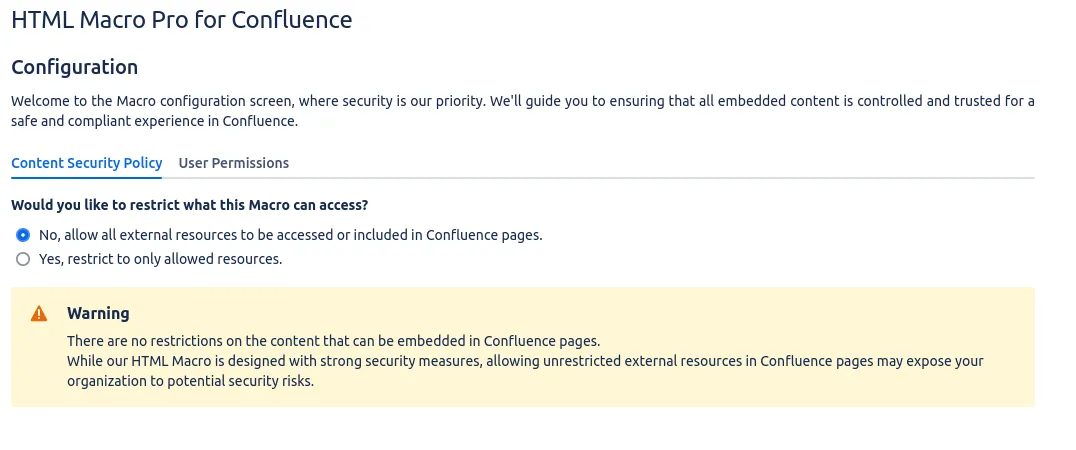 The HTML Macro Pro settings screen.
User permissions
The User Permissions tab offers two options: “All users” (the default, anyone can add the macro to a page) and “Selected groups only” with a multi-select of your Confluence groups.
Open the User Permissions tab
In the Settings page, click on the User Permissions tab.
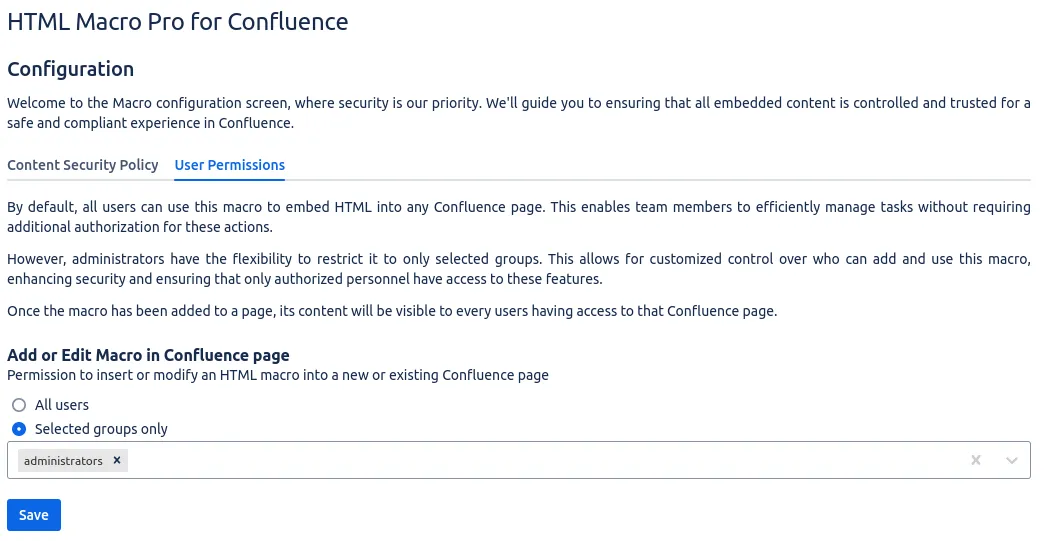 Manage permissions from the User Permissions tab.
Select the allowed groups
Select the groups you want to grant this Macro access to and click Save. A confirmation appears: “Permissions have been saved successfully.”
What a blocked user sees
A user outside the allowed groups who tries to insert the macro sees an Access denied message in the editor:
Sorry, it seems like you don’t have access to this Macro. Please contact your Confluence administrator to request access.
Existing macros on published pages keep rendering for viewers; the restriction controls who can add or edit the macro.
Where to go next
- Content Security Policy: the two modes, the template library and custom rules.
- Troubleshooting: the Access denied message and other errors.
Add HTML Macro Pro to Confluence
Securely embed websites and custom code in your Confluence pages.